- 15th Feb '26
- Conversion Blitz
- 18 minutes read
- Author: Conversion Blitz
MagicLight AI Review 2026: Features, Pricing, Pros & Cons (Honest Breakdown)
 Over +200 features to generate leads!
 Over +200 features to generate leads!
 Over +200 features to generate leads!
MagicLight AI Review 2026: Features, Pricing, Pros & Cons (Honest Breakdown)
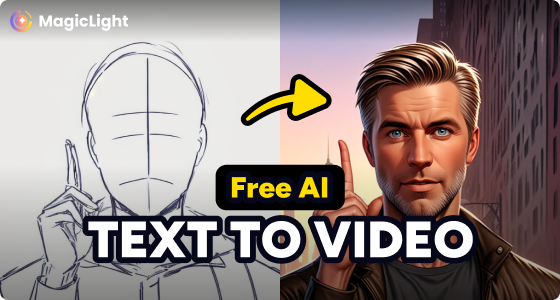
If you've been exploring AI video tools for your YouTube channel, online course, or marketing campaigns, you've probably come across MagicLight AI. It's one of the few platforms that promises to turn a simple text prompt into a fully produced, long-form animated video — complete with characters, voiceovers, subtitles, and background music.
But does it actually deliver? I signed up, tested it across multiple video styles, and dug into the pricing, features, and real user feedback to give you the full picture. This review covers everything you need to know before deciding whether MagicLight AI is worth your time and money in 2026.
Quick Verdict: MagicLight AI is a solid choice for creators who need long-form animated videos without editing skills. Its character consistency and multi-style library are genuine strengths. However, the credit system takes some getting used to, and complex scripts can produce mixed results. Best suited for faceless YouTube channels, educational content, and children's storytelling.
| Quick Facts | Details |
|---|---|
| Best For | Long-form AI video, faceless YouTube channels, educational content, children's stories |
| Free Plan | Yes — 300 credits, no credit card required |
| Paid Plans | Starting at ~$8/month (billed annually) |
| Max Video Length | Up to 30–50 minutes |
| Languages Supported | 10+ languages, 30+ voice profiles |
| Platform | Cloud-based (browser), iOS, Android |
What Is MagicLight AI?
MagicLight AI is a cloud-based, AI-powered story-to-video platform that converts text scripts into complete animated videos. Unlike most AI video generators that cap output at 60–90 seconds of disconnected clips, MagicLight is specifically designed for long-form content — producing coherent videos up to 30 or even 50 minutes long with consistent characters, scene transitions, and synchronized voiceovers.
The platform handles the entire production pipeline. You provide a script or story concept, and the AI takes care of storyboarding, character design, scene generation, voice narration, subtitle creation, and background music selection. There's no filming, no editing software, and no animation experience required.
MagicLight positions itself as a tool for creators who want to produce "watchable" content rather than flashy tech demos. That means the focus is on narrative flow, visual consistency across scenes, and the kind of pacing that keeps viewers engaged through longer videos. It's integrated with AI models including DeepSeek R1 for script generation and supports multiple rendering engines for different animation styles.
Who Is MagicLight AI Built For?
Content Creators and YouTubers
MagicLight AI is particularly popular among creators building faceless YouTube channels — the kind that use animated storytelling, motivational content, or educational explainers without showing a real person on camera. The platform's long-form capability means you can produce full 10–20 minute YouTube videos from a single script, which is a significant advantage over tools that only generate short clips.
Educators and Course Creators
Teachers, trainers, and e-learning professionals can turn lesson plans, lecture notes, or textbook content into engaging animated videos. The visual style options (from simple 2D to more dynamic 3D styles) give educators flexibility to match their audience's expectations, whether that's elementary school students or corporate training participants.
Marketers and Small Businesses
Product explainers, ad campaigns, social media content, and brand storytelling videos can all be generated quickly. The multilingual voiceover support makes it especially useful for brands targeting international audiences without the cost of hiring voice actors in multiple languages.
Authors and Storytellers
This is where MagicLight AI found its initial audience. Authors can visualize their written stories as animated videos, and the children's story templates are among the platform's most polished offerings. If you're creating bedtime story content, faith-based narratives, or illustrated fiction, the tool has dedicated templates and character styles built specifically for these genres.
Our platform provides a suite of lead generation tools designed to help you grow your company. You can find leads, send targeted emails, create a chatbot, and more, all within our comprehensive suite of products. These tools are tailored to enhance your marketing strategies and support your lead generation efforts effectively.
- Get unlimited data upload
- Unlimited usage to all products
- Unlimited leads to find
MagicLight AI Key Features
Story-to-Video Generation
The core workflow is straightforward: enter a prompt or paste your script, and MagicLight AI generates a complete video. The AI handles screenplay structuring, storyboard creation, scene-by-scene generation, and final rendering. You can start from a detailed script or simply describe your concept in a few sentences and let the AI expand it into a full narrative.
Long-Form Video Support (Up to 50 Minutes)
This is MagicLight AI's most significant differentiator. While competitors like Pika Labs and Runway ML are limited to clips measured in seconds, MagicLight produces multi-scene videos that can run anywhere from 1 minute to 50 minutes. The platform maintains a coherent story arc, consistent pacing, and logical scene transitions across the entire duration.
Character Consistency Across Scenes
One of the biggest frustrations with AI video tools is characters that look completely different from one scene to the next. MagicLight AI uses a proprietary consistency engine that locks in character features — facial structure, clothing, proportions, and personality traits — and maintains them throughout the entire video. You can also create custom characters or use face cloning on premium plans.
Multiple Animation Styles
The platform offers 10+ visual styles including Disney-inspired, anime, 3D Pixar-style, photorealistic, comic book, children's illustration, and more. Each style has been optimized for different content types, so a kids' story template looks and feels different from a corporate explainer style.
Multilingual AI Voiceovers
MagicLight supports 10+ languages with over 30 emotional voice profiles. Voices range from warm and nurturing (ideal for children's content) to professional and authoritative (better for business content). The platform also includes lip-sync capability, meaning character mouth movements align with the spoken narration.
AI-Powered Subtitles and Background Music
Every video is automatically captioned, and the AI selects background music that matches the tone and pacing of each scene. Exports are watermark-free even on the free plan, which is unusual in this space — most competitors reserve watermark-free exports for paid tiers.
One-Click Story Templates
For creators who don't want to start from a blank page, MagicLight provides a library of templates organized by category: kids stories, faith messages, comedy, educational content, historical narratives, and more. Each template provides a working structure you can customize with your own ideas.
Feature Comparison: MagicLight AI vs. Typical AI Video Tools
| Feature | MagicLight AI | Typical AI Video Tool |
|---|---|---|
| Max Video Length | 30–50 minutes | 60–90 seconds |
| Character Consistency | Yes — proprietary engine | Limited or nonexistent |
| Animation Styles | 10+ | 2–4 |
| Languages Supported | 10+ with 30+ voices | 1–3 |
| Free Trial | No credit card required | Often requires card |
| Watermark-Free Export | Even on free tier | Usually paid only |
| Script-to-Video Pipeline | Fully automated | Manual clip assembly |
How to Use MagicLight AI (Step-by-Step)
Step 1 — Sign Up and Access the Dashboard
Registration is free and takes about 30 seconds. You can sign up through Google, Apple, or email. No credit card is required. Once inside, the dashboard shows community-generated content, your project history, and the main creation tools.
Step 2 — Choose Your Video Type and Style
Select whether you want to create a story video, an AI avatar video, or use one of the pre-built templates. Then pick your visual style — Disney, anime, photorealistic, comic, etc. This choice affects the entire visual output, so it's worth previewing examples of each style before committing.
Step 3 — Enter Your Script or Prompt
Paste your script or type a concept description. The platform supports prompts up to 12,000 characters on paid plans (3,000 on the free plan). For best results, structure your prompt with clear scene descriptions, character details, and dialogue. The AI will expand brief prompts into full narratives if needed.
Step 4 — Customize Characters and Scenes
Review the generated storyboard and make adjustments. You can modify character appearances, swap backgrounds, adjust scene order, and fine-tune the voiceover selection. This is where you can lock in character consistency settings to ensure your protagonist looks the same in every scene.
Step 5 — Generate, Preview, and Export
Hit generate and the AI renders your video. Short clips (1–2 minutes) typically render in a few minutes. Longer videos take more time but are still significantly faster than traditional animation workflows. Preview the result, make any final edits, and download the finished MP4.
MagicLight AI Pricing Plans Explained
MagicLight AI operates on a credit-based system where costs vary depending on video length, animation style complexity, and resolution. Here's a breakdown of the current plans:
| Plan | Monthly Price | Annual Price (per month) | Credits/Month | Key Inclusions |
|---|---|---|---|---|
| Free | $0 | $0 | 300 (one-time) | 1-min videos, 10+ styles, watermark-free |
| Standard | ~$11/mo | ~$8/mo | 5,000–8,000 | 30-min videos, fast-track generation, 12K character prompts |
| Plus | ~$22/mo | ~$14/mo | 15,000–27,000 | 50+ one-click story videos, priority processing |
| Pro | ~$35/mo | ~$19–24/mo | 35,000–47,000 | Unlimited image generation, premium AI access, best credit rate |
Note: MagicLight has updated its pricing tiers multiple times. Always verify current pricing at magiclight.ai/pricing before purchasing.
How the Credit System Works
Credits are consumed based on three factors: video length, style complexity, and resolution. A simple 2-minute video in a basic 2D style at 720p might cost 500–1,000 credits. A 10-minute photorealistic video at 1080p could cost 5,000+ credits. The platform shows a cost estimate before you commit to rendering, so there are no surprises — as long as you check the estimate first.
One thing to be aware of: credits are non-refundable once used, since each generation consumes server-side computational resources. This is standard across AI video platforms, but it means you should test with shorter videos before scaling up to longer projects.
Which Plan Is Best for You?
If you're just exploring, the free plan gives you enough credits to test 1–2 short videos and see whether the output quality meets your expectations. For creators publishing regularly to YouTube, the Plus plan offers the best balance of credits and features. Agencies or high-volume creators handling multiple client projects should look at the Pro plan for the best per-credit rate.
Is There a Free Trial?
Yes. MagicLight AI offers 300 free credits with no credit card required at signup. That's enough to create 1–2 short test videos and evaluate the platform's output quality, character consistency, and overall workflow before spending anything.
Our platform provides a suite of lead generation tools designed to help you grow your company. You can find leads, send targeted emails, create a chatbot, and more, all within our comprehensive suite of products. These tools are tailored to enhance your marketing strategies and support your lead generation efforts effectively.
- Get unlimited data upload
- Unlimited usage to all products
- Unlimited leads to find
MagicLight AI Pros and Cons
| Pros | Cons |
|---|---|
| Long-form video support (30–50 min) — rare in AI video space | Credit system can be confusing at first |
| Strong character consistency across scenes | Some AI voices still sound noticeably robotic |
| Beginner-friendly, no editing skills needed | Advanced customization options are limited |
| 10+ animation styles for diverse content | Rendering longer videos can take significant time |
| Free plan with no watermark on exports | Customer support response times are inconsistent |
| Multilingual voiceovers (10+ languages, 30+ voices) | Complex scripts sometimes produce pacing issues |
| No software downloads — fully cloud-based | Higher resolution and longer videos consume credits quickly |
| Templates for kids stories, faith content, comedy, education | Character quality can vary between styles |
What Real Users Are Saying About MagicLight AI
Positive Feedback Highlights
Users consistently praise MagicLight AI's ease of use and the speed at which it produces finished videos. The children's storytelling category gets particularly positive reviews, with parents and educators noting that the character designs and pacing work well for young audiences. Several creators report successfully building faceless YouTube channels using MagicLight as their primary production tool.
The template library also receives praise. Starting from a pre-built structure eliminates the blank-page problem and helps newer creators produce content that feels professionally structured even on their first attempt.
Common Complaints and Concerns
The most frequent criticism centers on credit consumption — several users report that the actual number of videos they can produce with their plan is lower than what the marketing materials suggest. This is because credit costs vary by video complexity, and the headline numbers assume simpler, shorter videos.
Customer support responsiveness is another recurring concern. Some users report slow email response times and difficulty reaching support through the available channels (email, Discord, social media). MagicLight has been expanding its support infrastructure, including adding a Discord community and knowledge base, but this remains an area for improvement.
A smaller number of users have reported issues with pricing page clarity — specifically around how credits translate to actual video output and what happens when credits run out mid-project.
How MagicLight AI Is Addressing User Feedback
To its credit, MagicLight AI has been actively updating the platform. Recent improvements include faster rendering speeds, expanded voice options, improved character quality in certain styles, and more transparent credit consumption estimates before generation begins. The Discord community also provides a direct feedback channel where users can report issues and request features.
MagicLight AI vs. Alternatives
| Tool | Best For | Max Length | Starting Price | Character Consistency |
|---|---|---|---|---|
| MagicLight AI | Long-form animated storytelling | 50 min | Free / ~$8/mo | Strong (proprietary engine) |
| Filmora | Full video editing with AI features | Unlimited (manual editing) | ~$49/year | Manual (not AI-generated) |
| Synthesia | AI avatar presentations | 60 min | $29/mo | Strong (avatar-based) |
| HeyGen | Talking head videos | 5 min (free) | $24/mo | Strong (avatar-based) |
| Pika Labs | Short creative AI clips | ~10 seconds | Free / $8/mo | Inconsistent |
| Runway ML | Creative AI video clips | ~40 seconds | $15/mo | Limited |
| LTX Studio | Storyboard-to-video | Variable | Beta/Free | Moderate |
MagicLight AI vs. Filmora
These tools serve different purposes. MagicLight AI is fully automated — you input text and get a finished video. Filmora is a traditional video editor that's added AI features for enhancement. If you want hands-off video generation, MagicLight is the choice. If you want granular control over every cut, transition, and effect, Filmora gives you that power but requires significantly more time and skill.
MagicLight AI vs. Synthesia
Synthesia excels at AI avatar presentations — the kind of polished, corporate-looking videos with a digital presenter speaking to camera. MagicLight AI is built for animated storytelling with illustrated characters and scenes. Choose Synthesia for business presentations and training videos; choose MagicLight for narrative content, children's stories, and creative projects.
MagicLight AI vs. Short-Form Generators (Sora, Runway, Pika)
Tools like Sora, Runway ML, and Pika Labs produce stunning visual clips, but they're measured in seconds, not minutes. They're designed for creative experimentation and social media snippets, not complete narrative videos. MagicLight AI fills a different niche entirely — long-form, story-driven content where consistency and watchability matter more than cutting-edge visual effects.
Our platform provides a suite of lead generation tools designed to help you grow your company. You can find leads, send targeted emails, create a chatbot, and more, all within our comprehensive suite of products. These tools are tailored to enhance your marketing strategies and support your lead generation efforts effectively.
- Get unlimited data upload
- Unlimited usage to all products
- Unlimited leads to find
Tips for Getting the Best Results from MagicLight AI
Write Clear, Structured Prompts
The quality of your output is directly tied to the quality of your input. Define your characters explicitly (appearance, personality, clothing), describe settings in detail, and specify the emotional tone you want. Vague prompts produce vague results. Think of your prompt as a creative brief rather than a casual description.
Start with Short Test Videos
Before committing credits to a 15-minute video, produce a 1–2 minute version first. This lets you evaluate the character design, voice quality, and pacing without burning through a large portion of your monthly credits. Once you're satisfied with the style and quality, scale up.
Keep Character Descriptions Consistent
If you're producing a multi-episode series, create a "character sheet" — a saved description of each character's key traits that you paste into every new project. Changing descriptors between episodes invites the AI to reimagine your characters, which defeats the purpose of the consistency engine.
Choose the Right Resolution for Your Platform
Higher resolution means more credits consumed. For YouTube, 1080p is the sweet spot — it looks professional on all devices without the premium credit cost of 4K. For social media clips or quick drafts, 720p works fine and costs considerably less.
How to Sell AI Video Services Using MagicLight AI and Conversion Blitz
Here's where things get interesting for entrepreneurs and freelancers. AI video creation is one of the fastest-growing service categories on platforms like Fiverr and Upwork, and MagicLight AI dramatically reduces the time and skill needed to deliver professional results. The opportunity isn't just in making videos for yourself — it's in selling AI video services to businesses that need them.
The challenge, of course, is finding those businesses. That's where Conversion Blitz comes in.
Finding Clients Who Need AI Video Services
Conversion Blitz is an AI-powered lead generation and sales automation suite with over 200 features designed to help you find, contact, and convert potential clients. Here's how you can use it to build an AI video services business:
Daily Registered Domains: Conversion Blitz provides access to 100,000+ newly registered domains every day, each with contact information including email addresses, phone numbers, and location data. New businesses almost always need video content for their websites, social media, and marketing — and most don't have the time or budget for traditional video production. You can reach out to these fresh leads before any competitor does.
B2B Email Extraction: Use the B2B extractor to pull contact details from LinkedIn and other business platforms. Filter by industry, job title, and company size to target marketing managers, content directors, small business owners, and social media managers — exactly the people who buy video services.
Email Finder AI: Have a company name but no contact? The Email Finder AI derives professional email addresses from first names, last names, and company names, giving you direct outreach capability.
Automated Email Campaigns: Once you've built your lead list, use Conversion Blitz's email marketing tools to send targeted pitches offering AI video creation packages. Set up automated sequences that nurture leads who don't respond immediately.
The Business Model
The math works in your favor. A MagicLight AI Pro plan costs roughly $24–35/month and gives you enough credits to produce dozens of videos. A single animated explainer video sells for $100–500+ on freelance platforms. Use Conversion Blitz to identify 50–100 new business leads per week, pitch your AI video services, and you can build a profitable service business with minimal overhead.
For example, you might target newly registered e-commerce businesses that need product explainer videos, local service businesses that want animated ads for social media, or course creators who need educational content produced quickly and affordably.
The combination of MagicLight AI for production and Conversion Blitz for lead generation creates a complete business system: find clients, close deals, deliver videos, and scale.
Frequently Asked Questions
Is MagicLight AI legit?
Yes, MagicLight AI is a legitimate AI video creation platform. It has been reviewed across multiple independent sites, is listed on app stores (Google Play and Apple App Store), has an active user community on Discord and social media, and offers a free trial that requires no credit card. That said, as with any subscription service, it's smart to test the free plan before committing to a paid tier.
Is MagicLight AI free?
MagicLight AI offers a free plan with 300 one-time credits — enough to create 1–2 short test videos. No credit card is required to sign up. Paid plans are needed for longer videos, higher credit allocations, and access to premium features like fast-track generation and extended character prompts.
How much does MagicLight AI cost?
Paid plans start at approximately $8/month (billed annually) for the Standard plan. The Plus plan runs about $14/month annually, and the Pro plan costs roughly $19–24/month annually. Monthly billing is slightly higher. All plans include watermark-free exports, multiple animation styles, and commercial usage rights.
Can I use MagicLight AI videos on YouTube?
Yes. All paid plans include full commercial usage rights. You retain ownership of the content you create and can monetize it on YouTube, TikTok, your website, or any other platform. This includes using the content for client work if you're selling video services.
What are the best MagicLight AI alternatives?
The top alternatives depend on your use case. Synthesia is best for AI avatar presentations. HeyGen handles talking head videos well. Filmora offers full video editing control with AI features. Runway ML and Pika Labs are strong for short creative clips. MagicLight AI's unique strength remains long-form animated storytelling with character consistency — no other tool in this price range matches that specific capability.
How many credits do I need to make a video?
Credit consumption varies by video length, animation style, and resolution. As a rough guide: a simple 2-minute video in a basic 2D style at 720p costs roughly 500–1,000 credits. A 10-minute photorealistic video at 1080p costs 5,000+ credits. The platform provides a cost estimate before rendering begins so you can budget accordingly.
Does MagicLight AI offer refunds?
Credits are non-refundable once used, as each generation consumes immediate server and computational resources. This is standard across AI video platforms. MagicLight recommends testing with the free plan before purchasing to ensure the output meets your expectations.
Is MagicLight AI good for kids' content?
Yes — children's storytelling is one of MagicLight AI's strongest categories. The platform includes dedicated templates, character styles (Disney-inspired, cartoon, kids illustration), and voice profiles specifically designed for young audiences. Many creators use it successfully for bedtime story YouTube channels and educational children's content.
Our platform provides a suite of lead generation tools designed to help you grow your company. You can find leads, send targeted emails, create a chatbot, and more, all within our comprehensive suite of products. These tools are tailored to enhance your marketing strategies and support your lead generation efforts effectively.
- Get unlimited data upload
- Unlimited usage to all products
- Unlimited leads to find
Final Verdict
MagicLight AI isn't perfect — the credit system has a learning curve, some voices still sound artificial, and support could be more responsive. But for what it does well, it does it better than almost anything else in its price range. If you need long-form, character-consistent animated videos produced from text without any editing skills, MagicLight AI is one of the strongest options available in 2026.
The free trial gives you a genuine taste of the platform's capabilities, and the low entry price on annual plans makes it accessible for individual creators, small teams, and entrepreneurs just getting started with AI video.
And if you're thinking about turning this into a business — producing AI videos for clients — combining MagicLight AI with a lead generation tool like Conversion Blitz gives you both the production capability and the client pipeline to make it work.
Try MagicLight AI Free | Start Finding Leads with Conversion Blitz
Conversion Blitz
Our platform provides a suite of lead generation tools designed to help you grow your company. You can find leads, send targeted emails, create a chatbot, and more, all within our comprehensive suite of products. These tools are tailored to enhance your marketing strategies and support your lead generation efforts effectively.
- Get unlimited data upload
- Unlimited usage to all products
- Unlimited leads to find

 Tools to grow your business